Google Weather App Transition
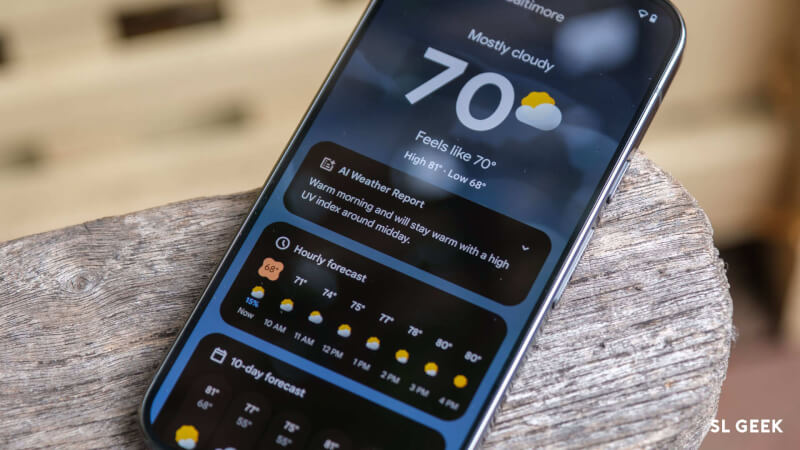
Google has removed the Android "Weather" app experience and is now displaying weather information through the Google Search results page. This change was initially rolled out on a limited basis over the past few months and is currently expanding further. Previously, users could open a fullscreen Google Weather experience via a homescreen shortcut. This featured a Froggy background along with current temperature, high and low values, weather conditions, and "feels like" information. Details such as hourly forecast, 10-day forecast, wind, humidity, UV index, pressure, and sunrise/sunset were presented in card format. Under the new system, tapping the homescreen shortcut directs users to the "weather" results page on Google Search. Here, the Froggy card displays both current conditions and the hourly forecast. It also includes a 10-day forecast carousel, precipitation, wind, humidity, air quality drop-down details, and AI Overviews providing a brief weather summary. The "View all details" button has been removed, and the old fullscreen Weather experience has disappeared from many devices. However, this update has not yet been fully rolled out to all devices.
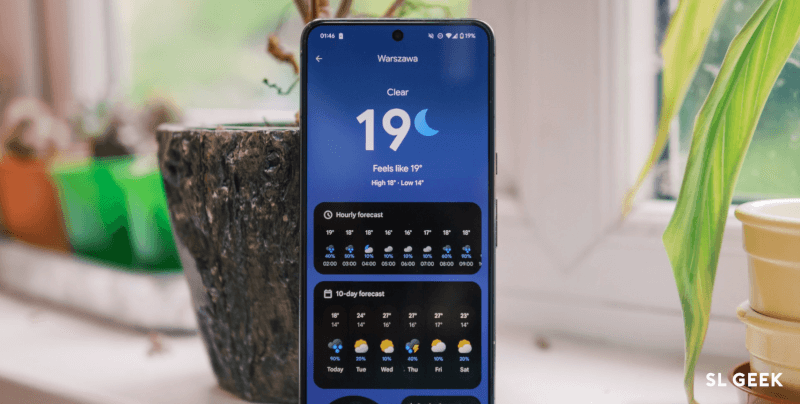
Analysts say that Google has decided to centralize the experience within the Search platform instead of maintaining a secondary app. This is seen as part of a major strategy to integrate services within Google Search under AI, real-time data, and a unified design.
Comments (4)
Join the conversation — share what you think about this post.
Login to comment